









If you have reached this point it is because you have uploaded the graphic file and are waiting to confirm our proposals so that we can proceed with the printing.
If you haven't uploaded your graphic file yet and don't know how to do it, click hereto consult the guide or continue reading.
Well, surely you have also received an e-mail from us. In any case, to proceed with the approval, simply go to thefile sending areaat the top right next to the username.
Once you reach the page you will find your order (in this case 5053) with the list of items that need graphic approval. It's that easy!
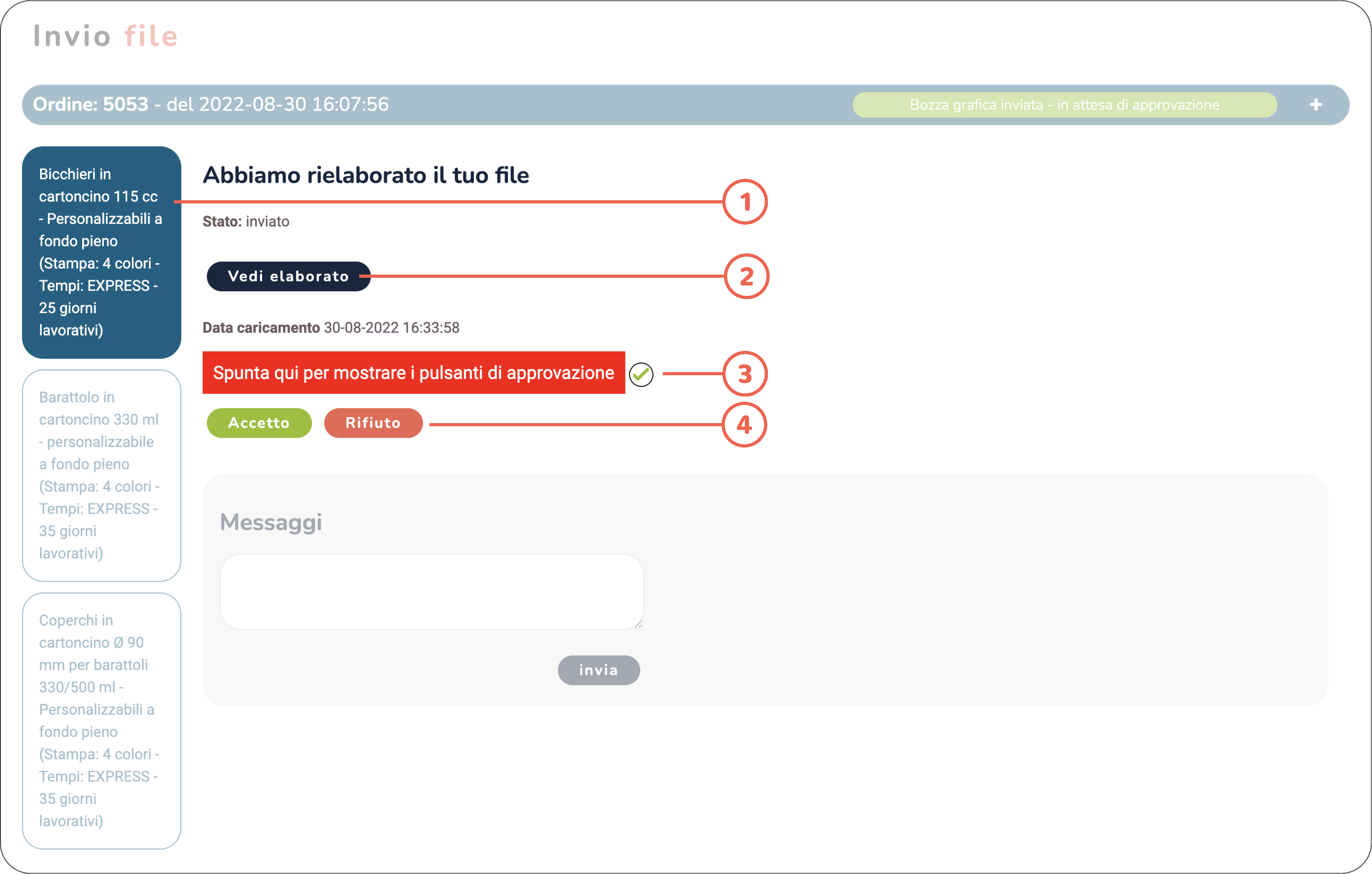
Looking at the image below and proceeding in order you will have to:
1. Select the item from the list
2. View the paper
3. Click on "check here to show the approval buttons" so that the accept/reject buttons appear (this selection is to prevent you from mistakenly accepting or rejecting the file)
4. Accept or reject the graphic file
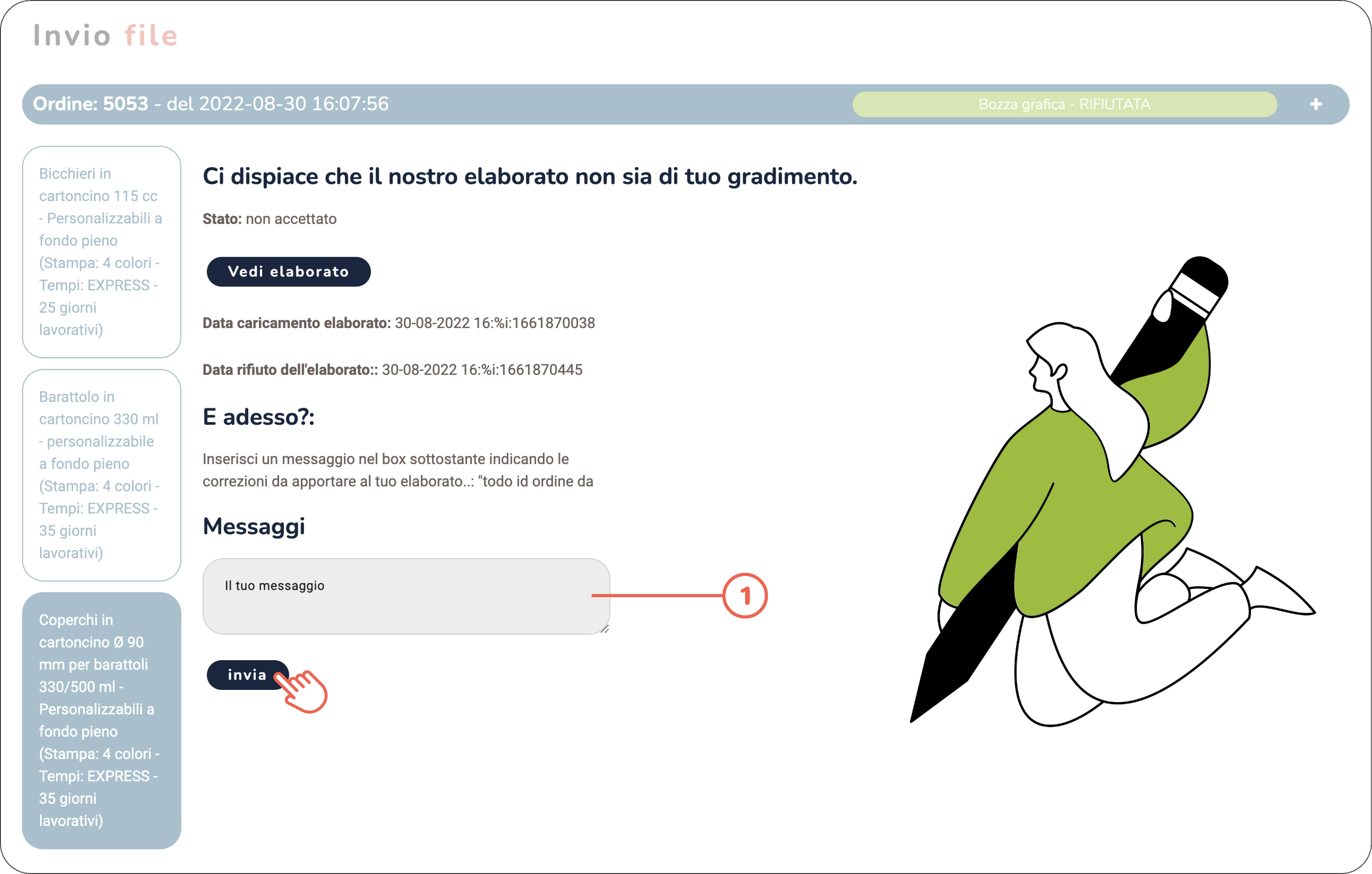
If you refuse the work, simply indicate the corrections to be made to the graphic draft in the appropriate "messages" area (1) and click on send.
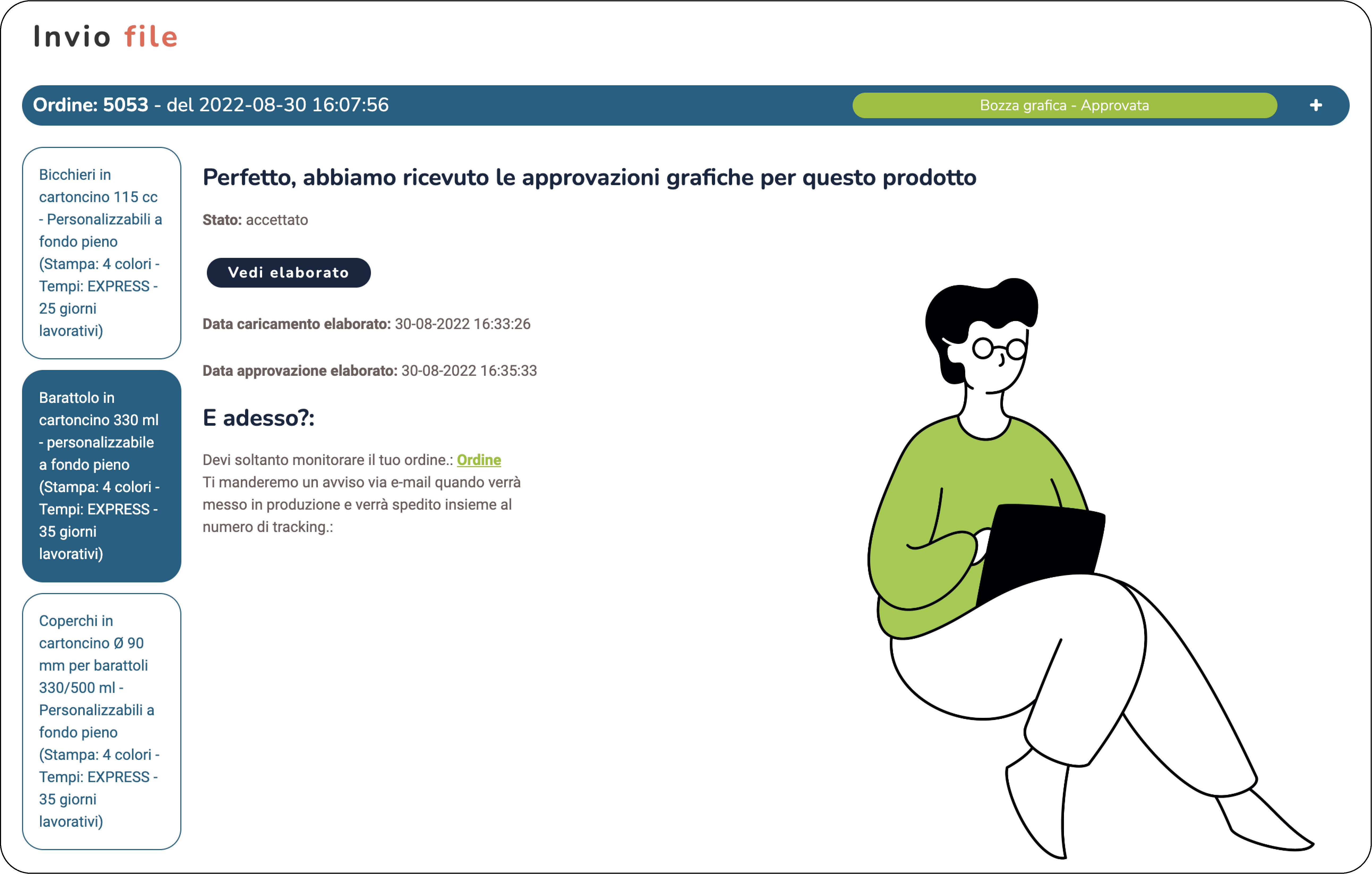
If you accept, you will only have to wait for your order to be produced and as soon as it is shipped you will receive an e-mail together with the tracking number to follow the shipment.
Have you lost your tracking number or don't remember any details of your order? Don't worry!
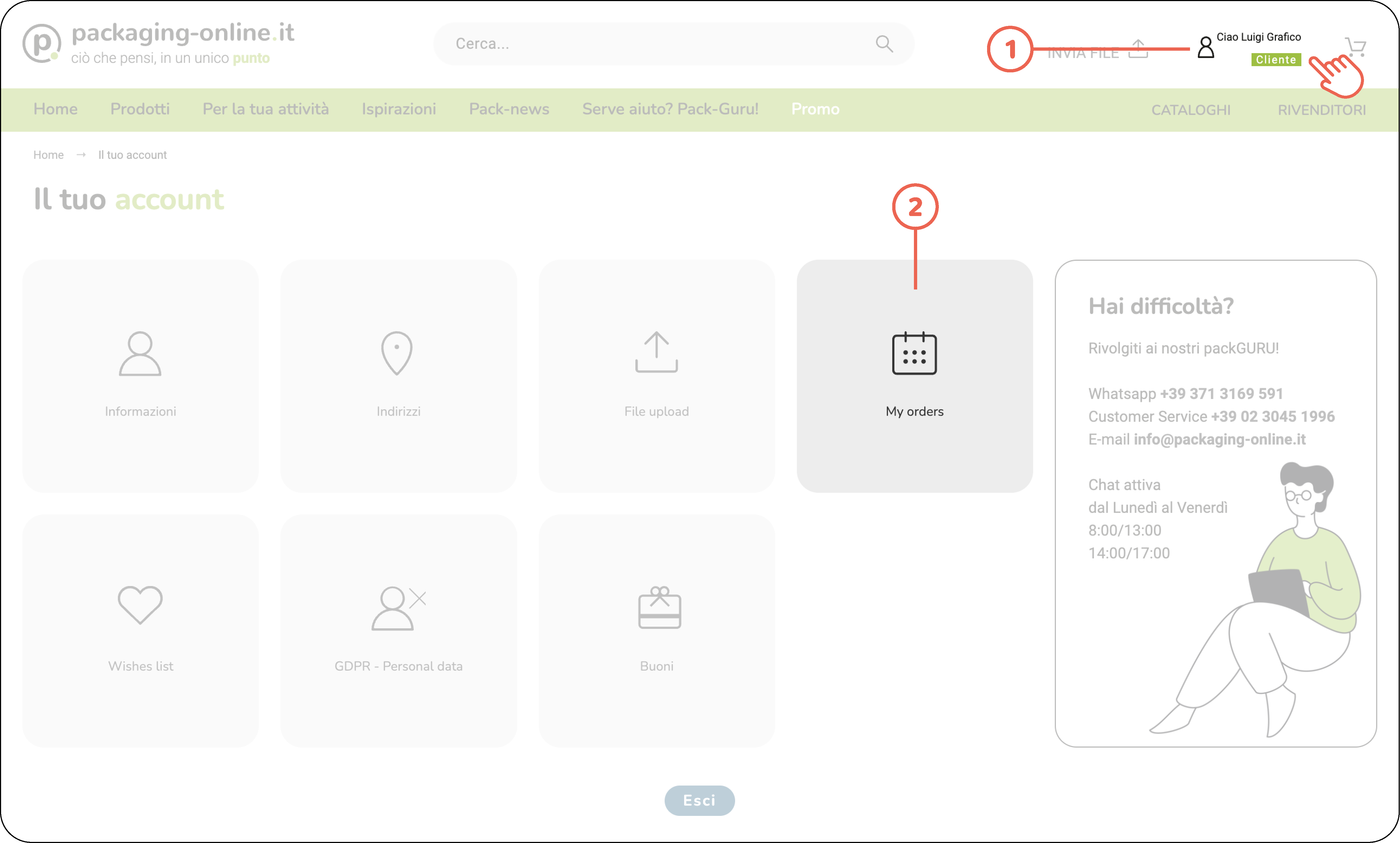
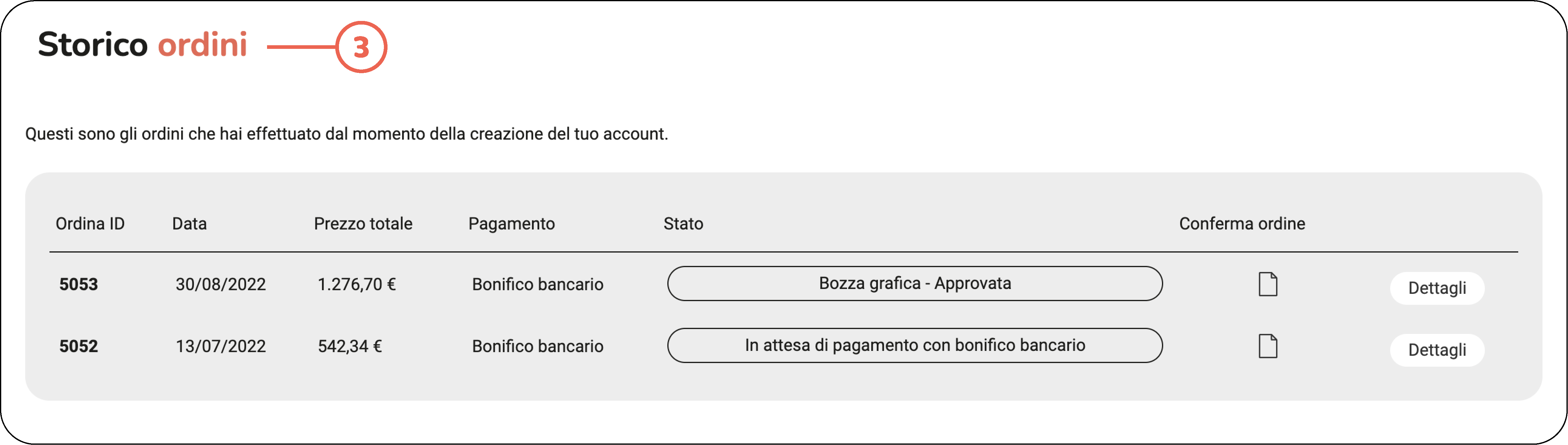
You can click on your personal profile (1) and then on "my order" (2) to access yourorder history (3) and be able to consult any retail order placed since the date of registration.
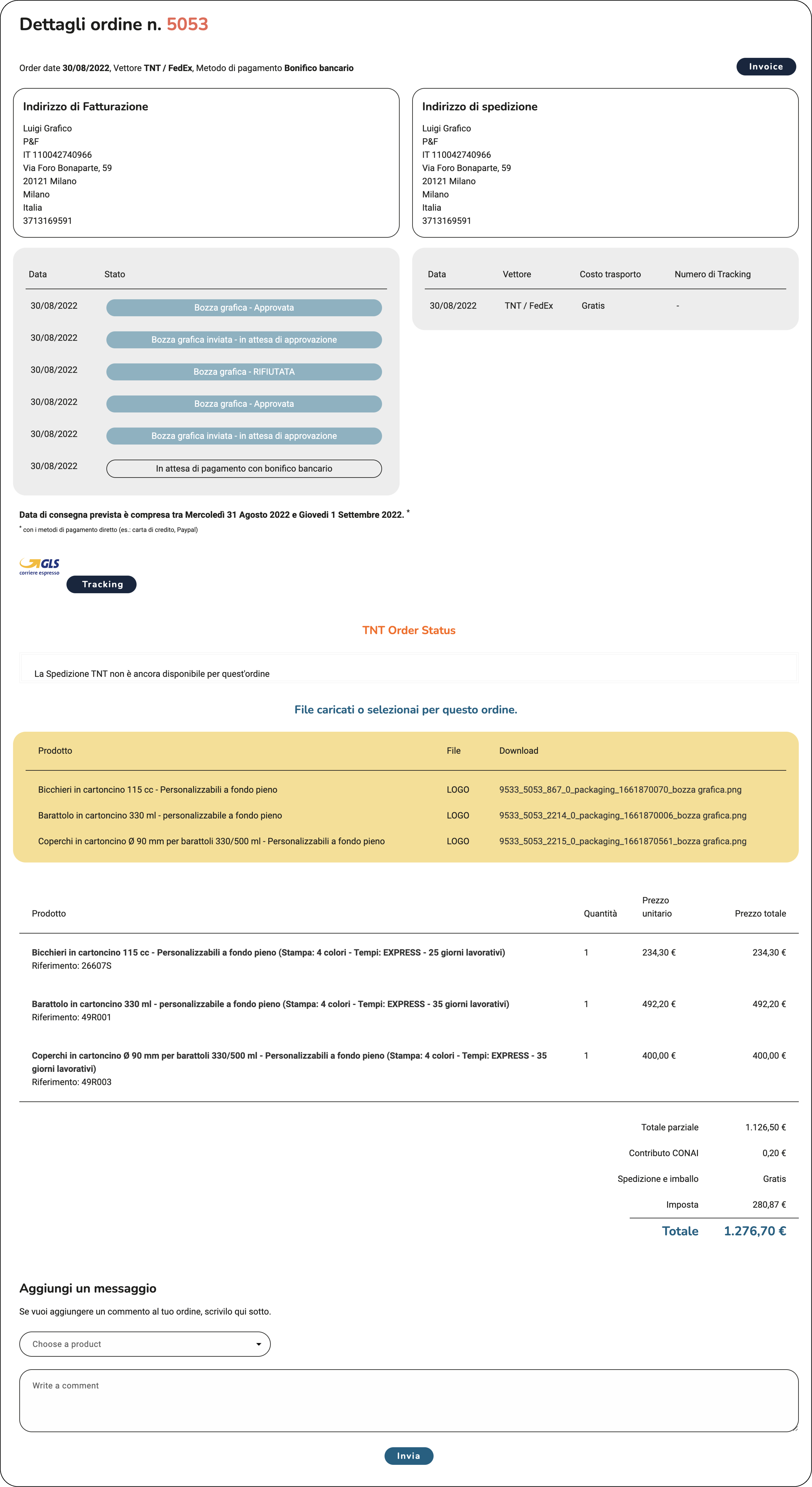
Just choose the order you need more details and you will find everything you need, for all the rest of the information do not hesitate to contact us, our packGURU know how to solve any problem.